Officiating Platform
Automating Tennis Line Calling & Supporting Tennis Review Officials to make the right decision in an instant.
The Challenge
Fault!
As part of general routine maintenance to Hawk-Eye's Tennis App suite, and with the addition of some new extended capabilities (data science advancement & data viz), the project tasked us to consolidate our legacy tracking apps and merge them into a single usable piece of software for external users (Review Officials) to use.
Indirectly, the app has dramatically bolstered fans' experience!
Project Aims
To reduce the training time for new users to become proficient with our products & reduce the number of HEI operators on site. Leaning towards a SaaS product, there was a huge emphasis on UX.
What
External on-site Tennis officiating software for touch-screen & PC devices.
Timeline
Nov 2023–Jan 2024 (3 months)
Deadline: Australian Open 2024
Results & Impact
Project Impacts
×2
Fewer Hawk-Eye operators required per court, per tournament — directly reducing operational head count in the Tennis Department.
×2
Legacy apps made redundant. By consolidating, we now have 1 app — eliminating two apps that previously required continuous maintenance.
Instant validation
Players, Coaches, Fans & Umpires can now instantly see whether the ball was in or out & by how much.
AO
Shipped in time for Australian Open 2024 — the app is now used at all major global Tennis events for officiating purposes.
Fan Engagement
Close Calls: Bolstering Fan Engagement
Fans, Players & Umpires can now see close call replays instantly after a controversial bounce. The app enables a front-end UI that automatically triggers replay footage the moment a close call is detected — no operator intervention needed.
Line Calling
Calling Foot-Faults
More Foot-Faults have been called than ever before. Umpires can now call Foot-Faults with confidence. Before, Foot-Fault cameras were poorly integrated — now the workflow is seamless.
What is a Foot-Fault?
In tennis, players can't step over the baseline or middle service line during their serve motion before hitting the ball. This rule is notoriously difficult to enforce without automated tracking.
Process
Our Problems Faced with Legacy Tech
01
Too many apps
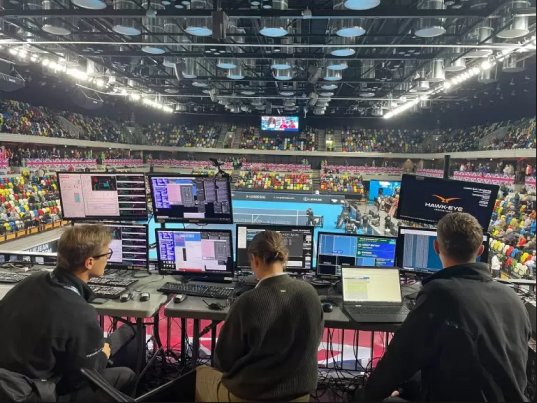
There were at least 5 apps. Operators had to juggle them when working on-site. Events typically had 6–8 outputting feeds too.
02
Dated GUIs
The complex GUIs dramatically affected the time needed to train new tennis operators. Workflows were non-intuitive and error-prone.
03
Rising costs
Inefficiencies & locally hosted technology meant the company was becoming more expensive than competitors. Change was needed.
Summary of Tennis Department demands
For touchscreen native devices.
For Review Officials, not expert operators.
Simplified UI — operable by new users who may know little about tennis.
"Ohh and…. need to be able to call Footfaults & Review video!"
Process
Consolidating an MVP
In a previous project, the squad and I had designed an app that allowed specialist Hawk-Eye Tennis Operators to select a bounce and review it. The initial Bounce Vis app was designed for our HEI Ops, not for Review Officials (ROs). The Tennis RO app ultimately was a redesign for a different user.
Process
The Role of a Review Official (RO)
We needed to agree on what we expected Tennis ROs to do and what was beyond their job description.
Review Officials will:
Officiate on line calling (albeit automated)
Close calls are automated — ROs cancel the review to court if unnecessary
Check tracking health
Confirm the system called the ball in the correct service box
In the event of an error, call HEI Op over for help & flag error
Officiate on:
Foot Faults via camera feed
Video review: Double bounces, Touching of Net
Worst case: Stops play & continuously updates chair umpire
Process — Testing, Testing, 1, 2, 3…
Iterating & Validating
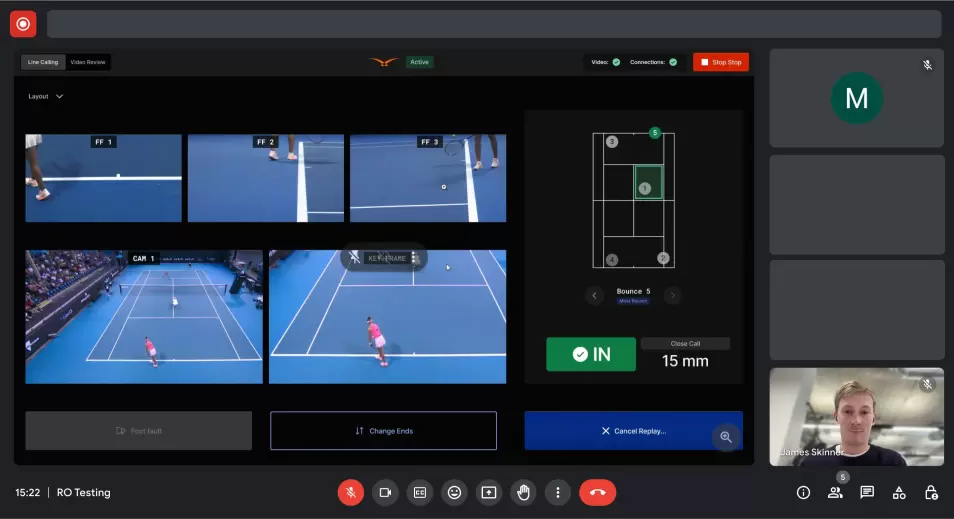
We met stakeholders weekly to constantly review our design decisions. We conducted remote feedback sessions where we were able to rapidly validate and iterate.
When we were satisfied with the app, I built a prototype to conduct an unmoderated usability test against ROs.
Early Draft — Failing Early
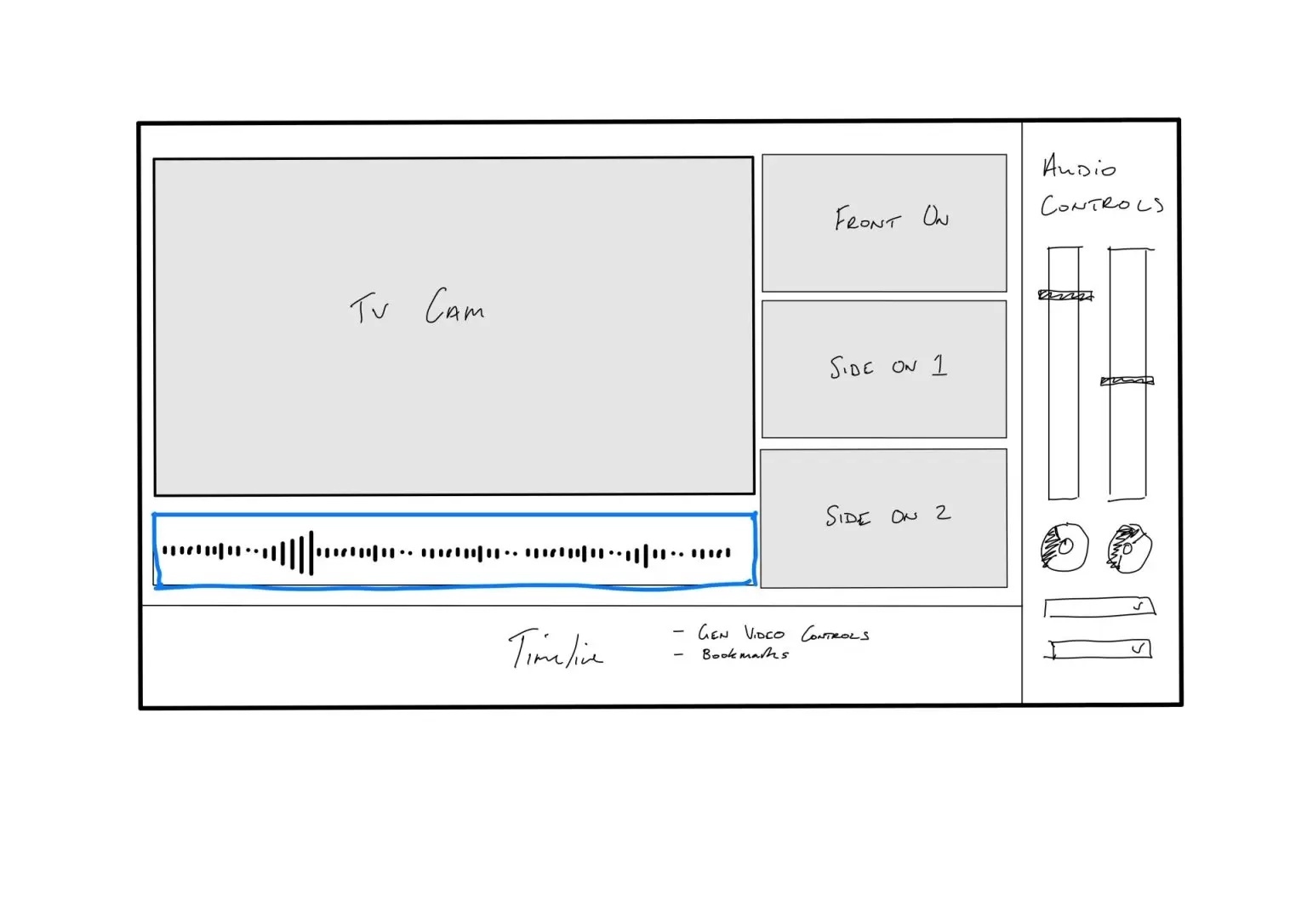
After a couple of weeks we presented the draft to stakeholders. The Officiating screen was heavily scrutinised — it seemed we had overlooked the needs of the RO during the design process.
Stakeholder Feedback
Simplify the left panel — too much complexity for ROs to handle.
Foot-Fault cameras are too small.
Can we use the empty space on the screen better?
How Might We… make decisions more clear & obvious?
Establishing an Alert Hierarchy
It was evident from testing that not all notifications should be treated in the same hierarchy. Some alerts require immediate user attention, whereas others are informational — giving user feedback that an event has occurred.
Consistent App Behaviours
I worked closely with the product manager to genericise a consistent app behaviour through all possible scenarios. The flow below is the app at its most complex — playing out a manually triggered replay.
Process — Iterations from User Testing
Before & Afters: Court Graphic
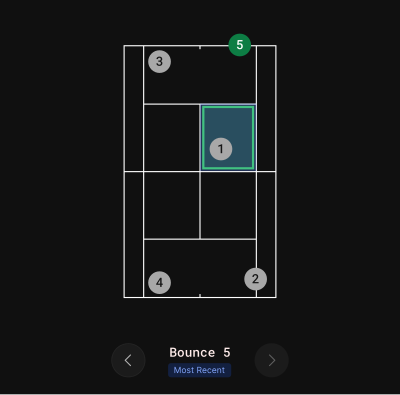
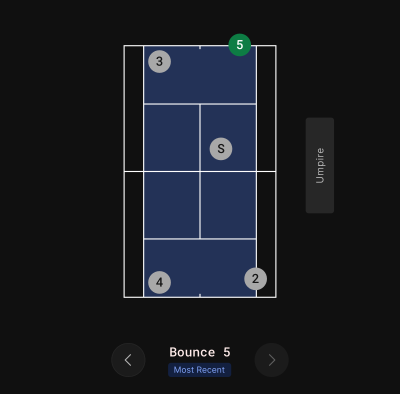
For added clarity, Review Officials wanted to know the court perspective they were looking at (i.e. at what end the event occurred). I determined a way — without adding too much noise — to add an umpire's region. Service bounces were also marked with an “S” to quickly differentiate from other bounces, improving navigation.
Before
After
Summary
Key Takeaways
Working in an Agile environment
I worked in collaboration with many stakeholders to develop the product. I had to find the balance between feedback & too much feedback that hindered our progress. Gathering feedback at a regular cadence was key to the project's success.
I'm now a bigger tennis fan!
The granularity required for this project gave me access to test & interview some very cool tennis figures, which has only fuelled my love for the sport.
What Next
To what extent will this app disrupt the professional game? Only time will tell for the long-term impact this technology will have on the sport. We've now seen the removal of all lines officials from court.
Retrospective
We had a short retrospective to celebrate the project successes. Now, we're onto the next product…!